The Era of Tech Equality
The era of tech equality is upon us, where even those without coding skills can bring product ideas to life! This article discusses how I built the “Gen Z Accounting Pro” mini-program from scratch using AI-driven vibe coding, achieving core functionalities like natural language accounting and asset visualization. I will share practical experiences using Trae for demo creation, Cursor for iterative development, and lessons learned in Git management for non-technical individuals, providing a quick AI shortcut for product managers.

The Motivation Behind the Mini-Program
Initially, I didn’t set out to “make a product” or to “prove my development skills.” To put it bluntly, I wanted to get a clear picture of my finances. I noticed a common yet often overlooked reality: money is spread across multiple accounts (bank cards, Alipay, WeChat, investments), creating an illusion of having “some money” in each account. Meanwhile, debts are also scattered across various platforms (Huabei, credit cards, etc.), leading to a false sense of security.
Thus, I aimed to create a tool that allows me to easily see my financial situation:
- Essentially, it’s a personal balance sheet.
- It helps record daily financial changes quickly.
- It allows me to know my financial status in seconds each day.
This is the original intent behind the “Gen Z Accounting Pro.”
Why Accounting is Challenging
Many people avoid accounting not because they don’t care about money, but because:
- Inputting data is cumbersome: Opening an app, selecting categories, entering amounts, and choosing accounts is tedious.
- There’s no feedback: After recording, they don’t see the significance or where the money went.
- Accounting and asset management are treated as separate systems.
Thus, I set a principle for myself: minimize operations while maximizing understanding.
What I Built: A Lightweight Asset Manager
I broke down the core functionalities into six modules, following a simple logic: clarify, simplify, and review.
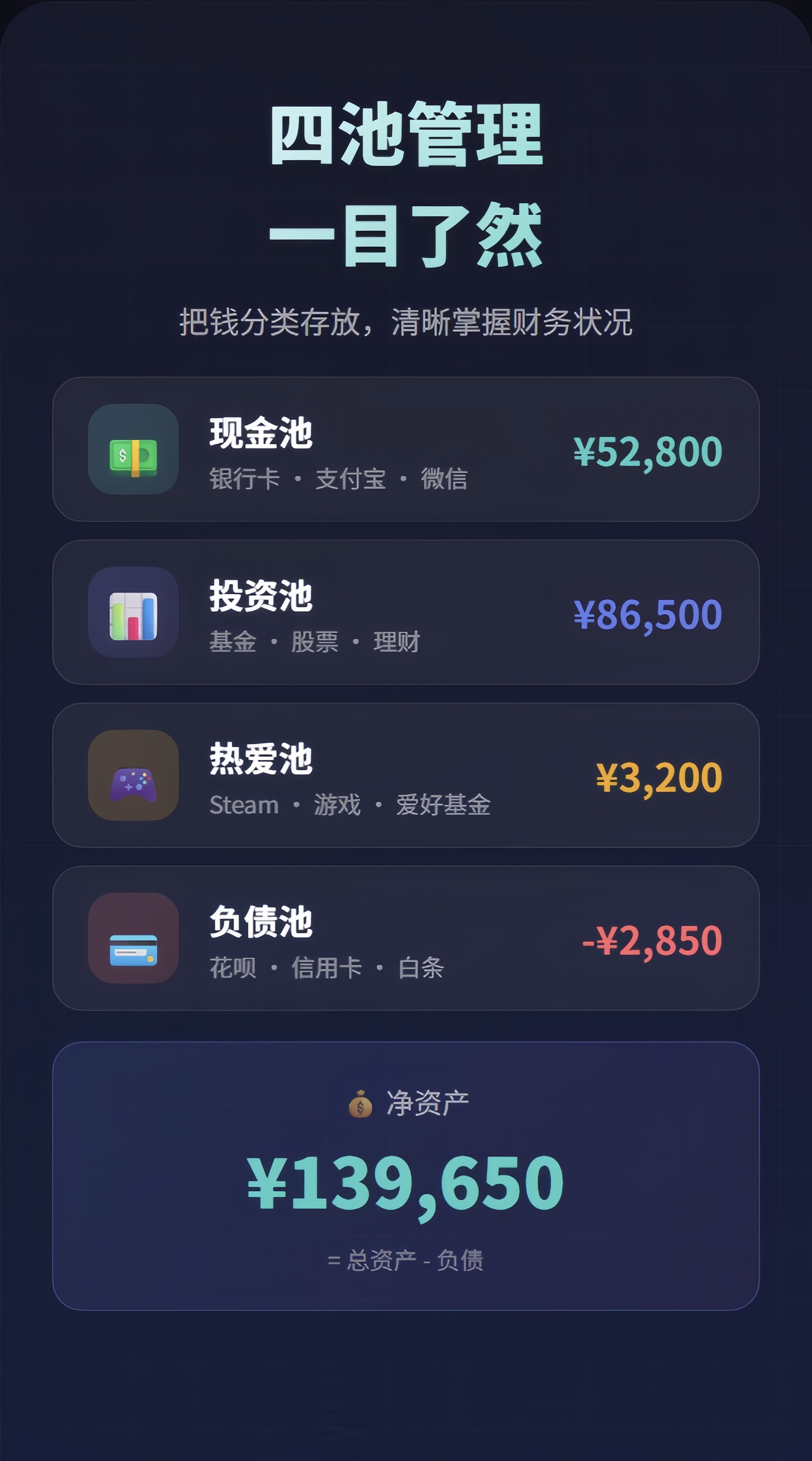
1. Four-Pool Asset Management
I divided assets and liabilities into four pools:
- Cash Pool: Bank cards / Alipay / WeChat
- Investment Pool: Funds / Stocks / Investments
- Passion Pool: Steam, hobbies (money spent on happiness)
- Liability Pool: Huabei / Credit Cards / Various monthly payments
This structure allows users to quickly understand how much usable money they have, how much is appreciating, how much is spent on enjoyment, and how much needs to be repaid.
The key figure displayed is: Net Asset = Total Assets - Liabilities.
2. Conversational Accounting
To tackle the input hassle, I enabled users to record expenses conversationally:
- User: Milk tea 18
- Mini-program: Recorded
- Expense 18 | Category: Dining | Account: WeChat
This approach makes accounting feel like chatting rather than using a complex tool.
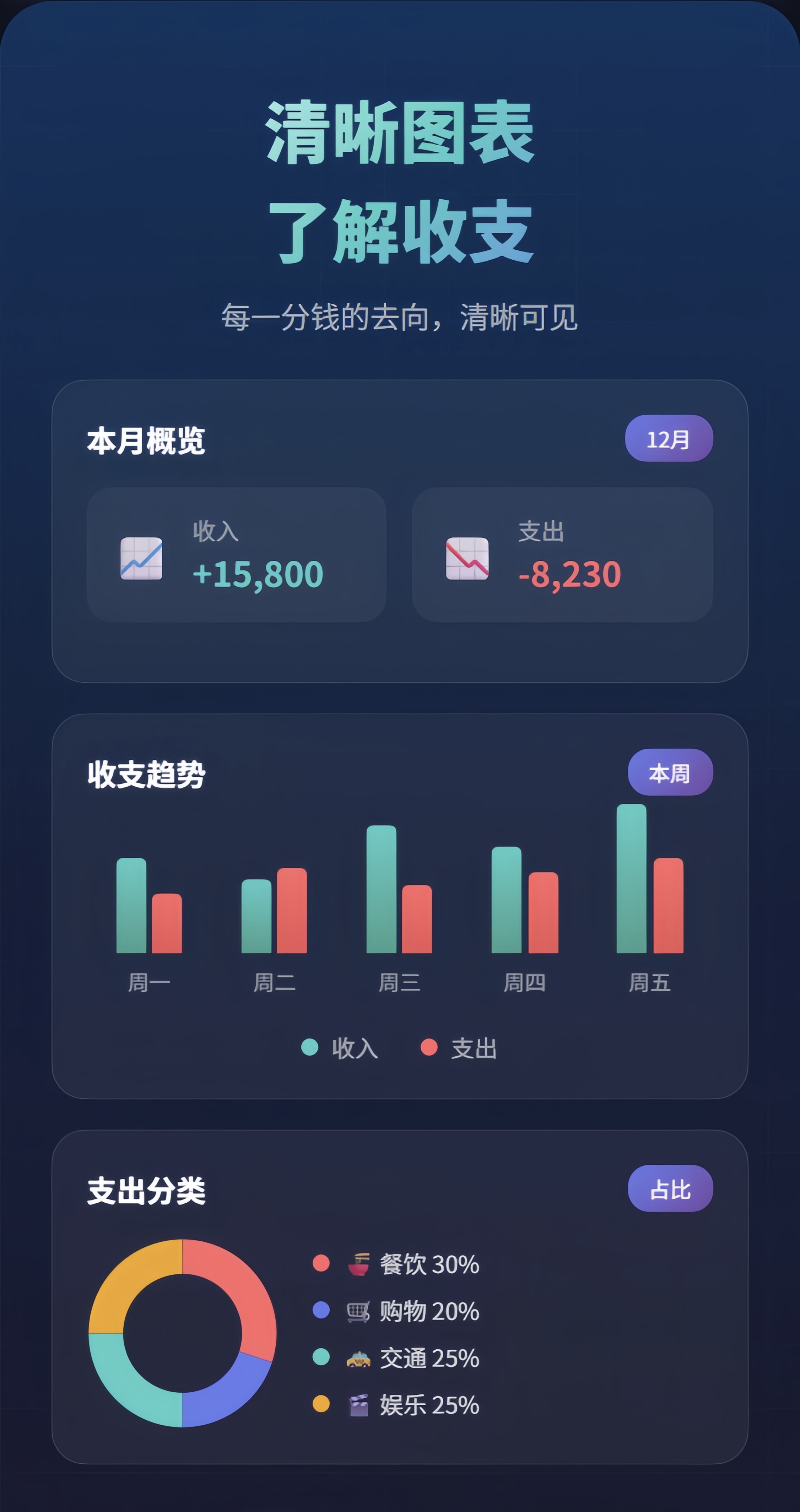
3. Simplified Data Visualization
I focused on three key insights:
- Overview of monthly income/expenses
- Income/expense trends (whether spending or earning more this week)
- Expense category proportions (where money is most easily spent)
The goal is to make it easy to understand at a glance.
4. Automatic Interest Calculation
Many people’s first step in finance isn’t investing but managing cash. I implemented automatic interest recording for cash management, which encourages users to keep track of even small earnings.

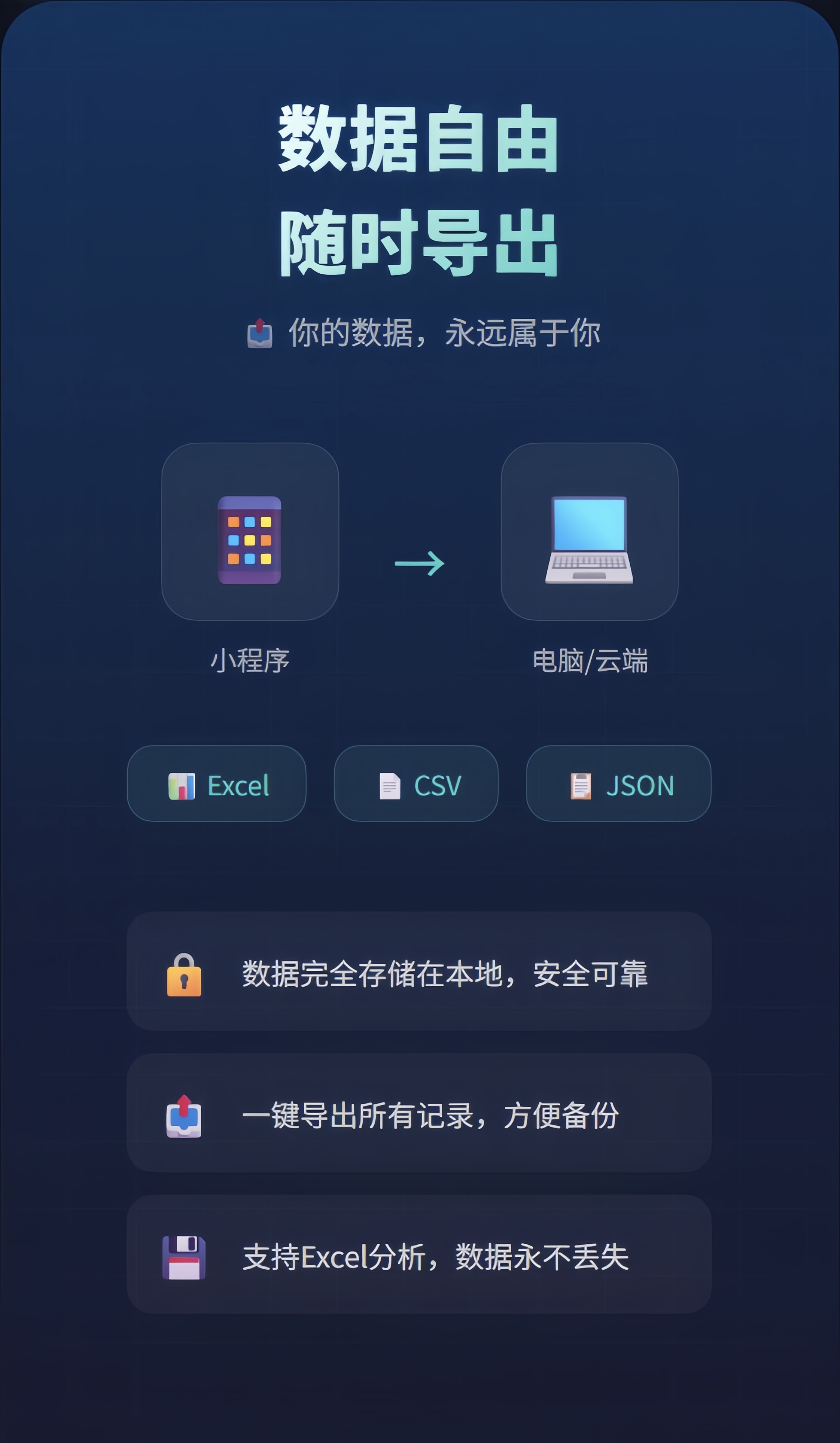
5. Data Export Options
I prioritized local data storage to ensure user trust and supported exporting to Excel / CSV / JSON. Users can analyze their data or migrate it without being locked in.
Getting Started: Initial Setup
For first-time users, I recommend spending three minutes to initialize the program by manually entering the balance of each account and liabilities. This step will provide a baseline for future asset changes, allowing users to see their financial status more quickly.
Steps for Initialization:
- Automatically enter the asset editing interface.
- Input assets into the Cash Pool / Investment Pool / Passion Pool.
- Input liabilities into the Liability Pool.
- View net assets to get a more accurate financial picture.
I believe the hardest part isn’t managing assets but understanding liabilities. When debts are not visible, the risk often lies in cash flow being squeezed by repayment schedules, leading to anxiety and poor management.
Development Process: Using Trae and Cursor
As a non-technical person, I won’t provide a development tutorial but will share the correct approach for non-tech individuals creating products.
Step 1: Create a Functional Demo
I started with Trae to set up a simple demo, focusing on getting the basic accounting process running. The goal was to make something usable.
Step 2: Use Cursor for Code Modifications
Most of the work involved modifying rather than writing code: UI details, interaction tweaks, data structures, and bug fixes. My division of labor was simple:
- Cursor produced the code.
- I provided requirements, tested, and identified issues.
One major pitfall I encountered was the inability to easily revert changes in Cursor, making Git backups essential. I learned the hard way that without real-time Git uploads, I risked losing progress and had to start over.
Common Pitfalls to Avoid
- Don’t aim for an all-encompassing product from the start; too many features slow down development.
- Clarify data structures early to avoid rewriting later.
- AI-generated code may look correct but may not function properly; use acceptance testing to drive fixes.
- Functionality is more important than aesthetics; prioritize getting the product running before beautifying it.
- The real work begins after launch; real users will help refine the product.
- Always back up code in Git when using Cursor to avoid potential rework.
Conclusion
AI doesn’t turn you into a programmer; it enables you to realize your ideas faster. My biggest takeaway from creating this mini-program is that you don’t need to master development to create a product. Instead, focus on defining problems, breaking down requirements, validating results, and iterating quickly. AI significantly lowers the implementation cost, allowing more people to bring their ideas to life.
Comments
Discussion is powered by Giscus (GitHub Discussions). Add
repo,repoID,category, andcategoryIDunder[params.comments.giscus]inhugo.tomlusing the values from the Giscus setup tool.